Harness Engineering for Dummies
“Harness engineering” is one of those terms that gained a lot of traction this year, and I think it will stick around for a while.
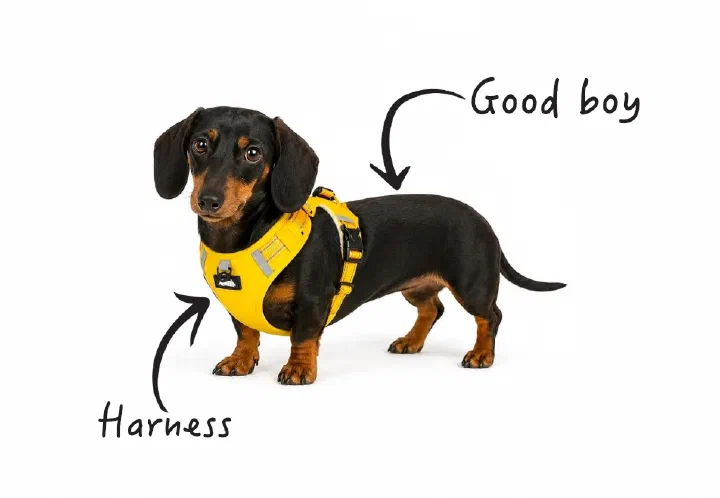
First of all, for my fellow non-native English speakers, this is a harness (well, technically a dog wearing one):
But what does “harness” mean when it comes to agentic coding?
Where the Term Comes From
The term was popularized in early 2026 by Mitchell Hashimoto in this blog post:
It is the idea that anytime you find an agent makes a mistake, you take the time to engineer a solution such that the agent never makes that mistake again.
— Mitchell Hashimoto, February 5, 2026
He then mentions two forms of harness engineering:
- Better implicit prompting, e.g.
CLAUDE.md - Tools, e.g. tools that take screenshots, run tests, etc.
The idea itself was nothing new. People and AI companies had known for quite some time that better tooling and better prompting lead to better output.
What Hashimoto did was give it a name and a definition, which made it much easier to understand and talk about.
It’s also noteworthy that his definition is broad and practical rather than precise. That’s a strength, but it also means the term is easy to misuse or misunderstand. I’ll come back to that.
The Brain and the Body
An analogy I came across multiple times while looking into harness engineering is the human body: the AI model is the “brain”, and the harness is the “body”.
Without a body, the brain cannot do anything. It needs eyes and ears to gather input, and hands and fingers to interact with the world.
The harness does the same for the model. It includes everything around the model itself.
Claude Code Is a Harness
A good way to see the difference between the model and the harness is to look at Claude Code.
Claude Code is more than a chat interface that sends prompts to a model. Claude Code is a harness.
Some parts of it are very “visible” to casual users, while other parts are more “hidden”. Let’s look at three of them:
- The loop
- The tools
- The prompts
1. The ReAct Loop
The ReAct (Reason and Action) Loop is one of the most important parts of Claude Code, but it’s not something a casual user would think about or even notice in day-to-day use.
Still, it is a core part of the harness, and it’s what allows the model to do more than just talk.
Here is a simplified example of what happens when you ask a simple question like “What’s in package.json?”:
- The model receives your question and a list of tools it can use.
- The model decides what to do. It can’t answer yet, so it replies: “Run the Read tool on package.json.”
- The loop runs the tool and reads the file.
- The loop hands the result back. The file’s contents are added to the conversation.
- The loop asks the model again. This time it has what it needs and replies in plain text: “package.json defines…”
- The reply contains no tool request, so the loop stops and you see the answer.
The rule behind it is simple:
If the model’s reply asks for a tool, run it and ask again. If it doesn’t, the reply is the final answer.
2. Tools
How does Claude Code interact with the outside world? Through tools.
Here are some of the tools that are built into Claude Code:
- Read
- Write
- Edit
- Bash
- Skill
- Artifact
- ToolSearch
- Agent
Besides these built-in tools, there is an endless list of external tools that can be called via MCP or Bash. Here are some examples:
- Google Chrome
- GitHub
- Playwright
- Jira
- Python
One thing to keep in mind, though: more tools are not automatically better. Every tool description takes up context before you have typed a single word.
3. Prompts
Besides tools, a harness also contains prompts. Prompting can be either implicit or explicit.
Implicit prompts are the ones you don’t type. They are loaded automatically and shape every session. Some examples:
CLAUDE.md(information that is relevant for every session)TESTING.md(a document describing how to run tests and what they should look like)RULES.md(a document describing which rules an agent should follow)- Skills
- Memories
Explicit prompts are the ones you type during the session. Some examples:
- “Fix the failing e2e tests”
- “Do a web search to find a good library for CSV parsing”
- “Implement the feature and execute the tests when you are done”
My Definition
Together, the loop, the tools, and the prompts make up the harness. So here is my attempt at a definition:
A harness is everything that allows a model to interact with the world.
I also like this one:
“If you’re not the model, you’re the harness.”
— Vivek Trivedy
And harness engineering, then, is the work of improving that harness.
Here is a diagram I created to visualize this:
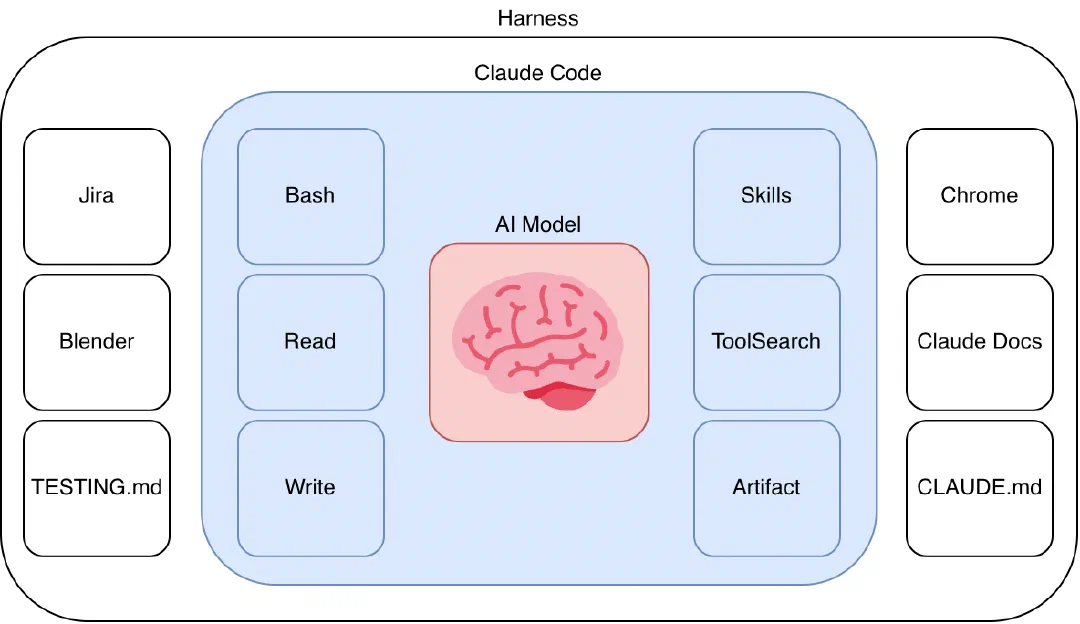
This definition follows from the examples that Hashimoto mentioned and other explanations I’ve seen online.
The definition is very broad, so much so that it will inevitably lead to confusion and other, more specialized terms.
Why the Harness Matters
I might be stating the obvious here, but: better harness = better output.
I firmly believe that the harness will be the most important aspect of agentic coding in the years to come.
A simple math question illustrates this nicely:
Calculate this for me: 2434 / 3 * 4824 + 42
I gave this prompt to Haiku 5.5, and it gave me this answer:
3,914,314
This answer is wrong. The correct answer is:
3,913,914
I then tried the same prompt on Flash-Lite 3.5, and it came back with the correct solution.
Now it would be easy to assume that Flash-Lite is simply better at math than Haiku, but I don’t think that’s what happened here.
Looking at the session itself, you can see that Flash-Lite came up with the solution by writing a Python script and executing it before giving me an answer:
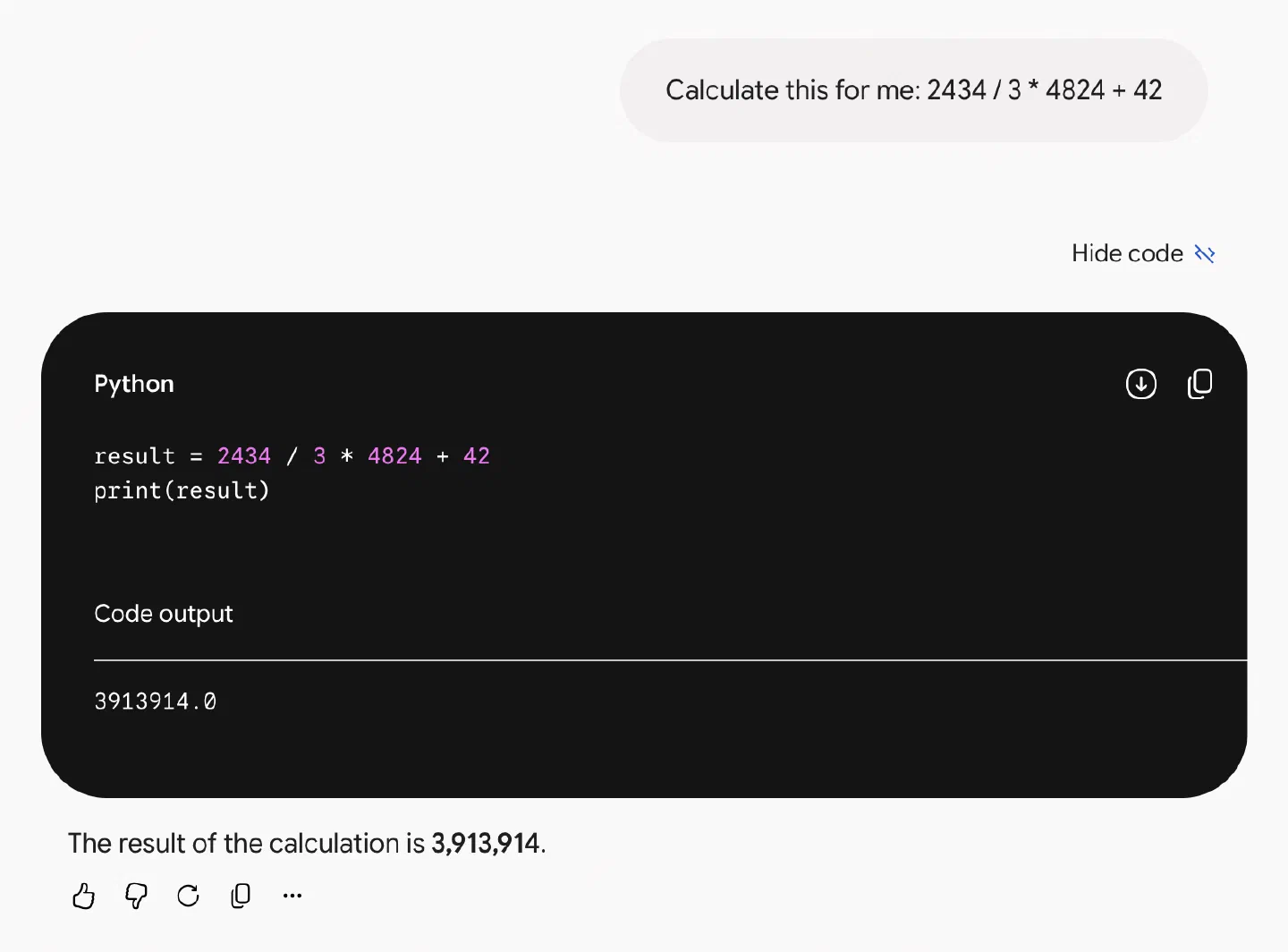
Haiku, on the other hand, tried to do the calculation without any tools and failed. Here is what the model responded when I asked why it did not use a tool:
I should have. Arithmetic like this is exact and cheap to check
with a shell, and I had no reason to do it in my head.
I'll verify it now.
This could have been prevented by improving the harness. In this case, a single line of implicit prompting in the CLAUDE.md file is enough:
- Do all calculations using bash + python
Now, if you run the prompt again, you get the correct answer:
2434 / 3 * 4824 + 42 = 3,913,914

I computed this with Python (per the project's CLAUDE.md),
using exact fractions so there is no rounding error.
The result is a whole number.
Same model, same question. The only thing that changed was the harness.
The difference in output between a model with a good harness and one without is dramatic.
How This Applies to Software Engineering
As you can see from the example above, it’s all about the harness. The quality of the output can be increased by providing the models with a better harness.
Consider a simple frontend example. Say you have an app that adjusts its layout depending on the screen size, and on small screens a card that is supposed to be shown is missing.
The Naive Approach
The naive approach is to describe the bug to the agent and let it do its work:
We are missing the ‘UpsellCard’ on small screens. Fix the bug.
For a simple bug like this, this approach would most likely work. But this naive approach breaks down once your app starts to grow in complexity.
You will inevitably run into situations where the agent thinks it fixed or implemented something correctly, but it never actually did:
Oh, it seems like I made a mistake. I am sorry about that. Let me fix this.
If you run into this problem, you know that your harness is not good enough.
The Harness Engineering Approach
The better approach is to apply harness engineering to the problem. In this case, the agent needs a better definition of “done”.
Here is the setup you do once:
- Set up an e2e test suite.
- Set up a
CLAUDE.mdthat points the agent to aDEBUGGING.md. - The
DEBUGGING.mdwill then tell the agent that it should use TDD to solve the issue. - Create some scripts or add MCPs to allow the agent to execute the e2e tests.
Here is what the agent should then do every time it fixes a bug:
- Create a failing e2e test that proves the bug actually exists.
- Try to fix the bug with code changes.
- Run the new e2e test and verify that the bug is fixed.
- Run the deterministic gates: tests, linters, formatters, and so on.
With this approach, you can have very high confidence that the bug is actually fixed.
Ideally, these “rules” should be enforced by code. Written rules are not enough, since they can and will be simply ignored by an agent. This can be done via tests running in pipelines, pre-commit checks for linting and formatting, and so on.
The same goes for features. You want to make sure a feature works? Let the agent create an e2e test for that feature first, and only then let it implement it.
Of course, this is easier said than done. But that is (or will be) the job of us software developers:
Every time the agent makes a mistake, we improve the harness so it never makes that mistake again.
AI Disclosure
I used AI (Claude) to fix my embarrassingly numerous spelling and grammar mistakes, to research the topic, and to suggest improvements to the post.